Cali
Room acoustics measurement inside your DAW. Know your room before your room knows you.
What is Cali?
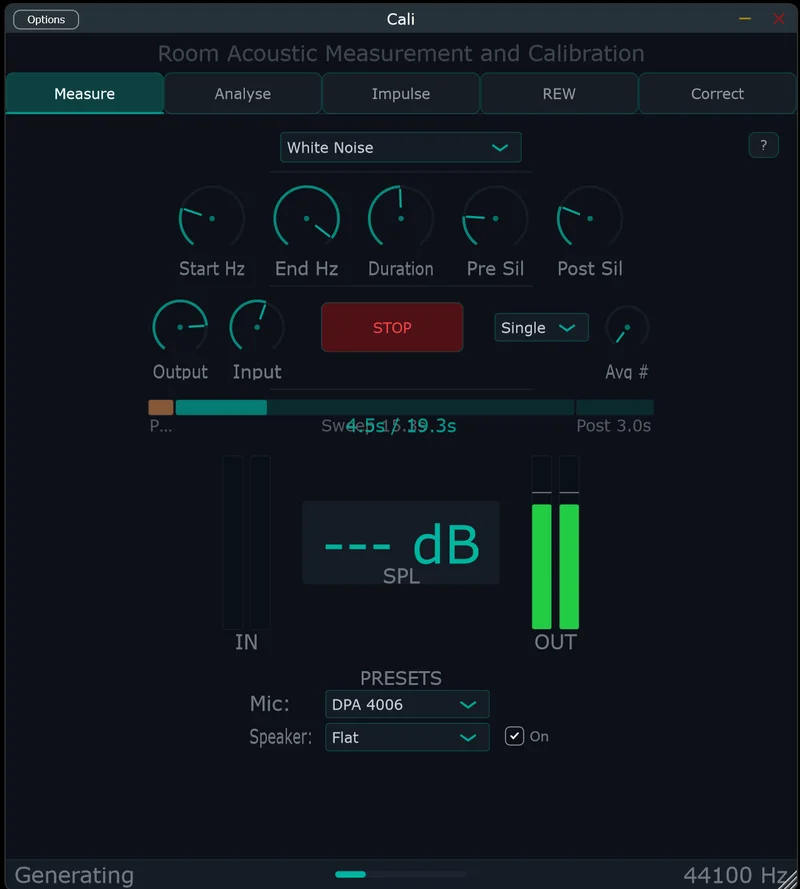
Cali is a room measurement plugin that lives where you already work — in your DAW. No external software, no complicated signal routing, no staring at a different application wondering if you routed the audio correctly.
Insert it on a track. Play the sweep through your monitors. Record with a measurement mic. Cali does the rest.
What it measures
Frequency response — what your room is actually doing to the sound (spoiler: more than you think).
RT60 — how long sound takes to decay in your room, broken down by octave band. T20, T30, and Early Decay Time so you can see if your bass trapping is doing anything or just looking decorative.
Waterfall CSD — a 3D heatmap showing how frequencies decay over time. Those resonant modes you suspected? Now you can see them.
Energy time curve — where the reflections are and how strong they are.
Auto room correction
Cali doesn’t just measure — it prescribes. The auto PEQ generator analyses your room’s frequency response and creates parametric EQ filters to flatten it. Choose your target curve (Flat, Harman, X-Curve, or custom), and Cali generates the correction. Export as REW-compatible PEQ settings or raw biquad coefficients for your hardware DSP.
5 tabs, zero friction
Measure, Analyse, Impulse, Auto-PEQ, Correct. Each tab does what it says. The impulse tab lets you trim, fade, and export IRs in WAV/AIFF at 16, 24, or 32-bit. Use them in convolution reverbs, share them, or just stare at the waveform and feel smug about your room.
Who it’s for
Home studio owners who want real data instead of guesswork. Engineers who are tired of alt-tabbing to REW. Anyone who’s ever asked “is my room lying to me?” (it is).